Selected work / illustrated city guide
MumbaiAn illustrated city guide.
A city explored through its landmarks.
A small collection from the original guide.
The idea
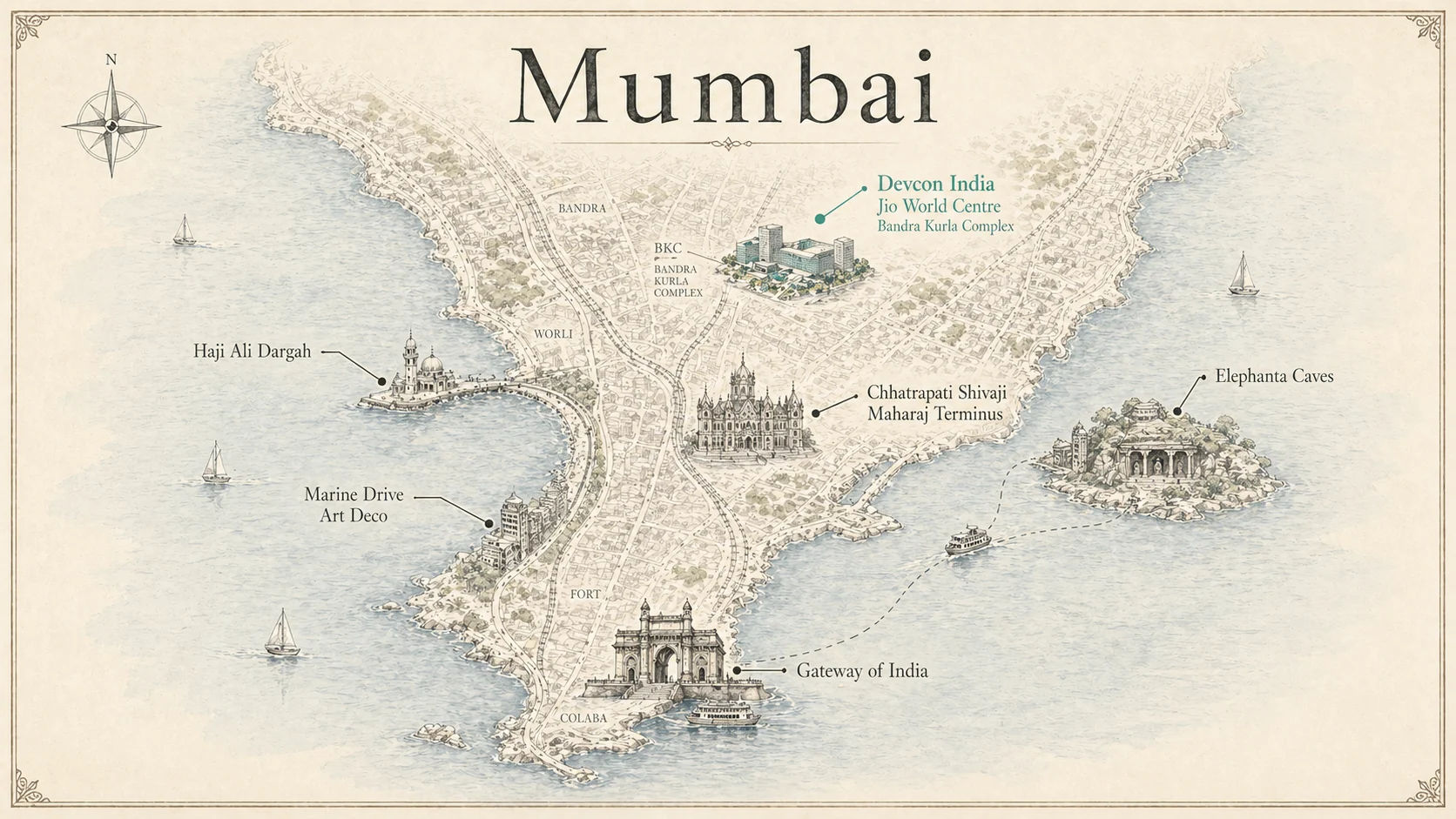
A map that opens like a book.
The original Mumbai Flipbook begins with six clickable landmarks. Each opens into a diagram plate, with branches for history, lived stories and visual detail.
This selection keeps the visual character of that journey: the city at a glance, then three places seen more closely.
02—04 / Selected plates
A closer look.
Choose a landmark to turn the page.
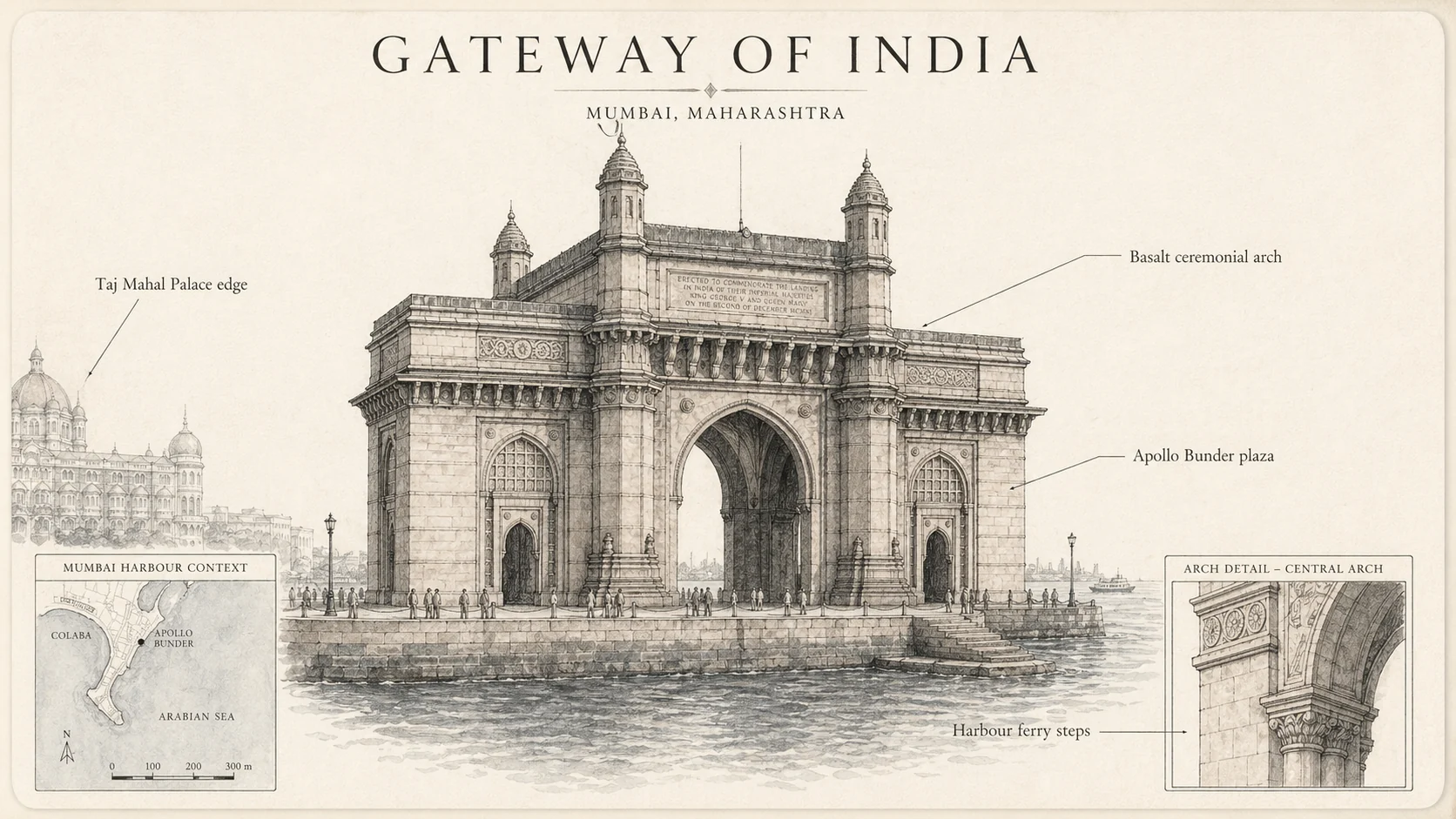
02 / The harbour threshold
Gateway of India
One landmark, several scales: the whole arch, its harbour setting, and a close architectural detail.
Open full image ↗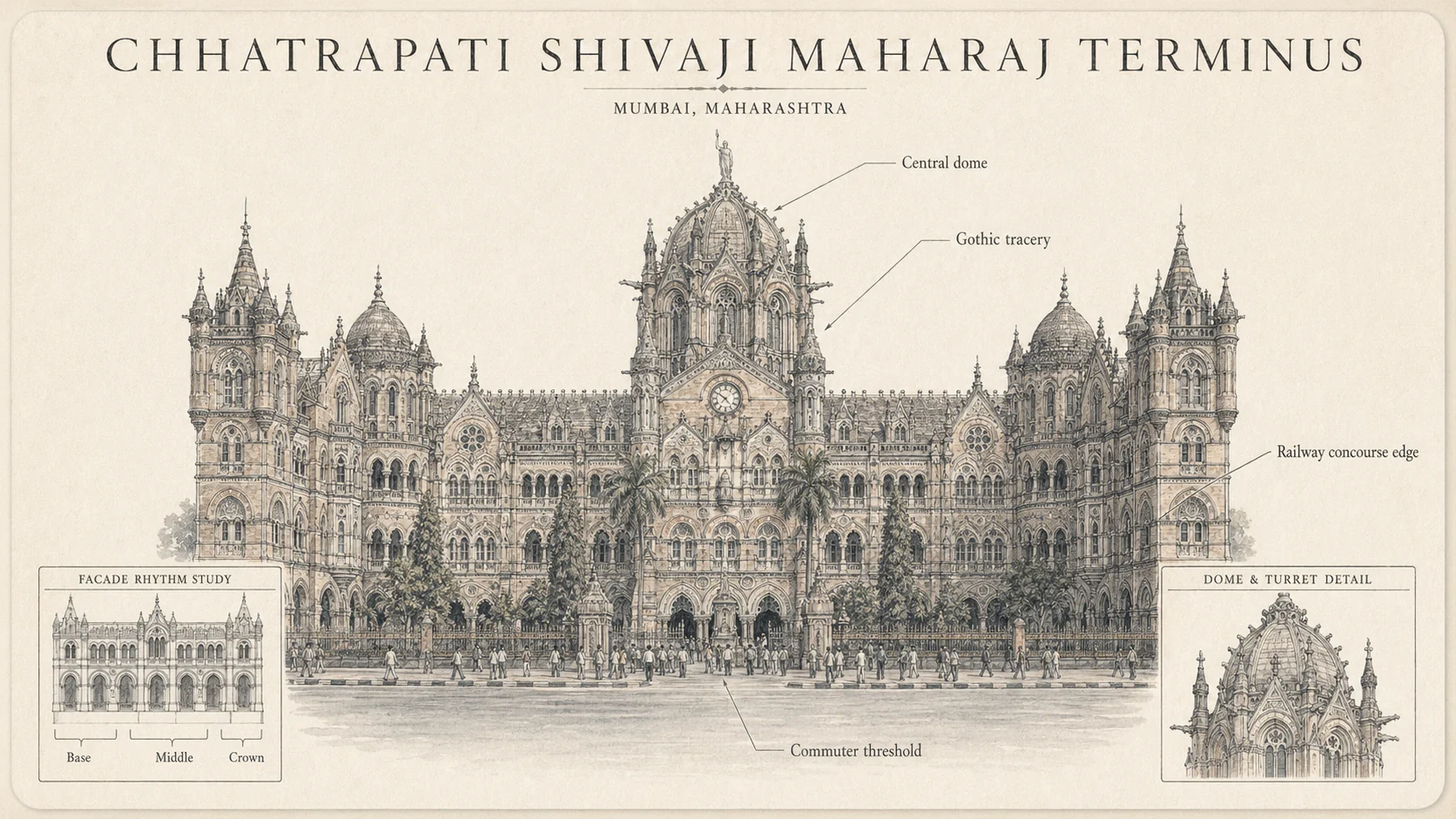
03 / The city in motion
Chhatrapati Shivaji Maharaj Terminus
A working railway station presented as an annotated study, with the facade and its details sharing the same page.
Open full image ↗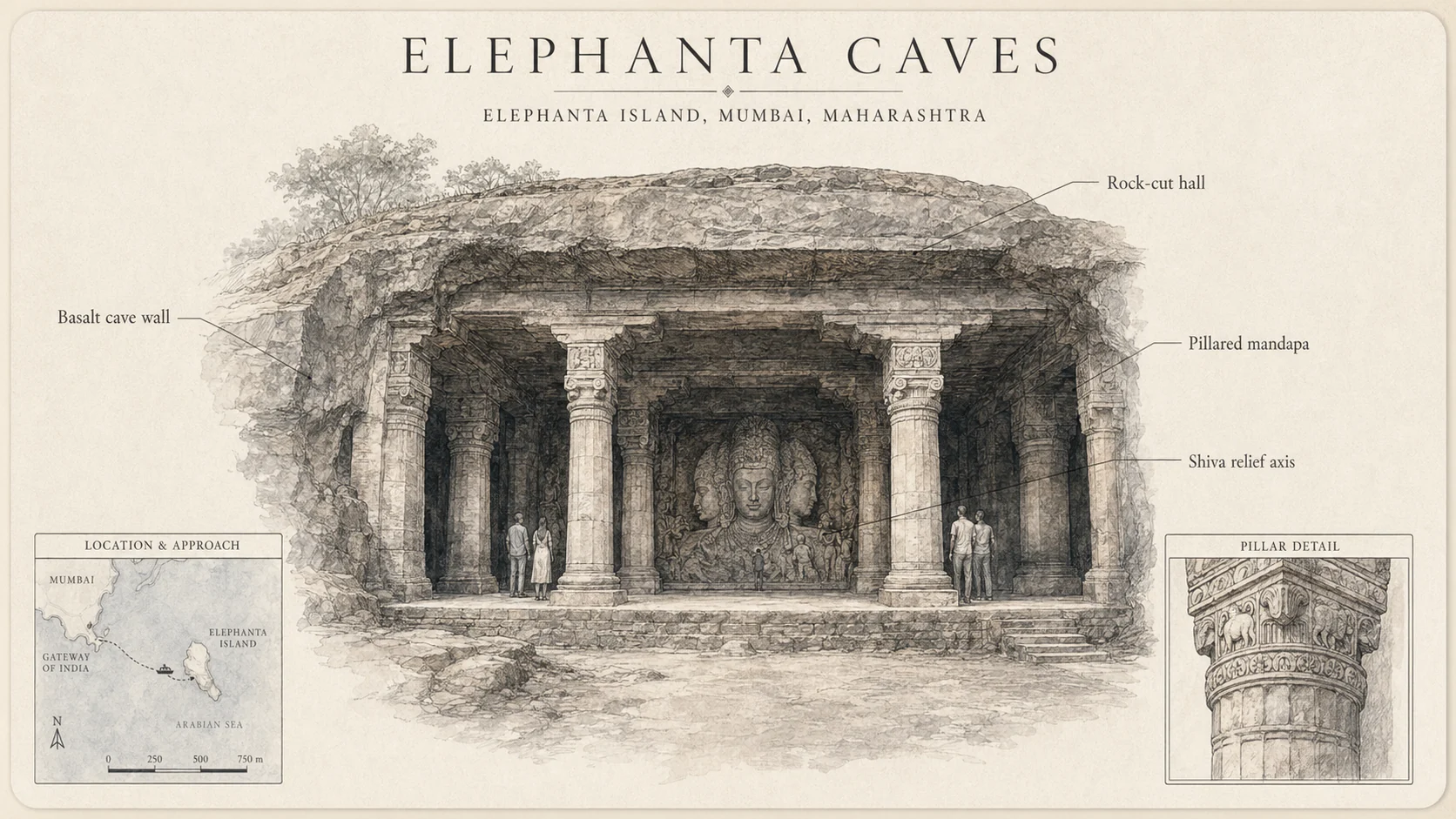
04 / Across the water
Elephanta Caves
The island approach, pillared hall and carved relief become a single visual composition.
Open full image ↗Inside the project
The illustration carries the story.
The links carry you through it.
One visual system
Warm paper, fine architectural lines and small inset studies connect the map to the landmark plates.
Layers of detail
The original links move from city scale to landmark scale, then into themed branches. This showcase keeps a compact selection.
A readable companion
Captions and named links give the pictures a text layer. Full-image links let you inspect the small details.
Make something of your own
Your city.
Your field guide.
Take the structure into Codex and adapt it to somewhere you know. Start with a city, six landmarks, and artwork you can use.
Reconstructed recipe · Not the original prompts
An end-to-end recreation has not been tested.
01BriefDefine your city guide
Build an illustrated city guide for [CITY] as an accessible, static website. The experience begins with an illustrated overview map and opens into six landmark pages. Treat each page like a museum plate: one dominant illustration, a short factual caption, and a few clearly labeled links. Start by asking me for the audience, six landmarks, available artwork, source material and preferred framework. Inspect the existing repository and its instructions before editing. Preserve existing work. Do not invent historical facts, personal stories, asset licenses or event information. Separate researched facts from illustrative interpretation. First propose the route and content structure; then implement one complete landmark as a vertical slice.
02Research & assetsGather the ingredients
For the approved city and landmarks, create a small content manifest with stable IDs, names, short descriptions, source URLs, fact-check dates, image paths, alt text, captions and related sections. Use authoritative sources for factual claims. Record uncertainty rather than filling gaps. Create an asset plan for an overview map and one illustration per landmark. Use my supplied artwork only with its stated rights, or generate new artwork with clear provenance. Do not copy the Mumbai plates or assume they carry an open license. Keep labels and essential information in HTML even if the illustration also contains lettering. Date any temporary events and make them optional. No live API, account, location tracking or payment integration is needed.
03Structure & interactionBuild the illustrated journey
Implement the approved overview and landmark pages using ordinary links and readable HTML. Make the overview image responsive without cropping away landmarks. Add accessible named hotspots where useful, plus a visible text list of all six destinations so mobile users never depend on tiny targets. Each landmark gets a large figure, caption, optional history/stories/visual-detail sections backed by the manifest, and a visible back link. Browser Back must work. Do not create empty routes for unresearched sections. Give images explicit dimensions; optimize them and lazy-load below-the-fold media. The content must remain usable without JavaScript.
04Art directionGive it a coherent visual language
Use a restrained museum-folio direction: warm paper, dark ink, serif display typography and a single muted accent. Keep the artwork dominant and the interface quiet. Use one consistent illustration brief across plates, but adapt subject and composition to each landmark. Avoid dashboard cards, decorative statistics and generic marketing copy. Keep image labels supplementary to readable captions. Add subtle focus/hover feedback and, only where useful, a short entrance transition. Honor prefers-reduced-motion. Test long landmark names, small screens, image-loading failures and high-contrast text.
05Checks & handoffVerify and leave a rebuild kit
Run the repository's required checks and production build. Inspect the homepage and every implemented landmark at desktop and mobile widths. Verify keyboard navigation, visible focus, back links, readable captions, no horizontal overflow, no missing assets and a usable no-JavaScript view. Report the actual tests performed and any limitations; do not claim untested behavior passed. Produce a README with setup/build commands, runtime version, content-editing instructions, source citations and asset provenance. Propose a minimal preservation file list: source, dependency lockfile, irreplaceable assets and data. Exclude secrets, dependencies, caches and generated build output by default. Do not publish, transfer an archive, or remove hosting until I authorize those actions.